
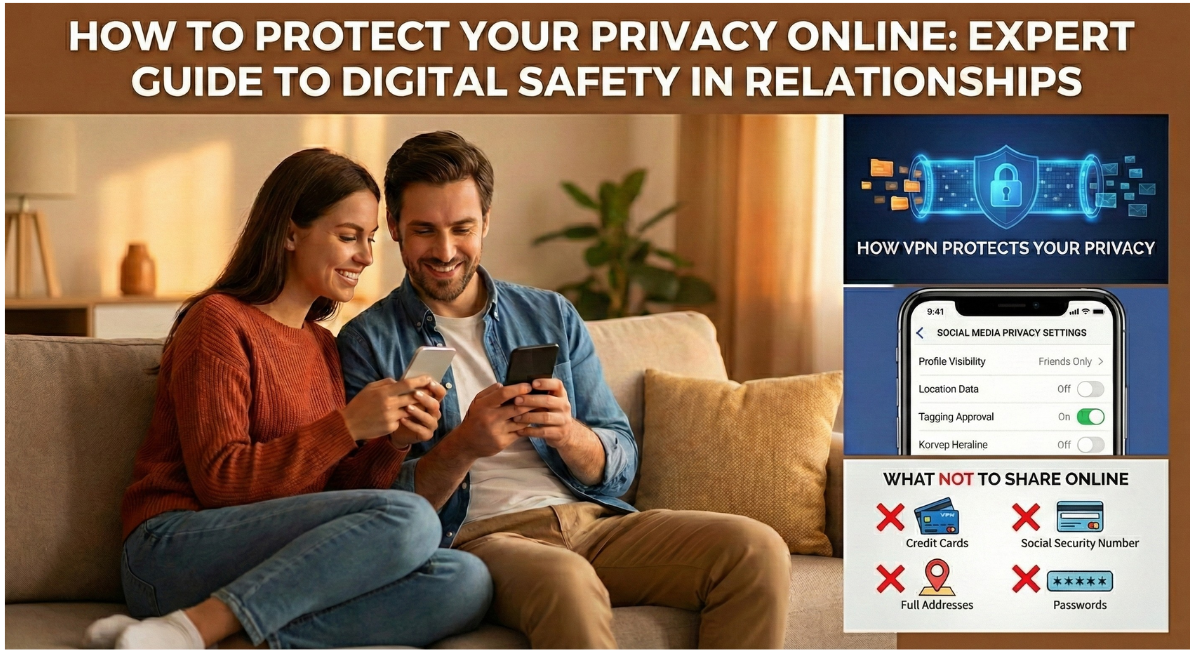
In our hyper-connected world, your most personal moments are just one screenshot away from becoming permanent digital records. Whether you’re navigating a new relationship, managing boundaries with an ex, or simply trying to keep your intimate life private, understanding digital privacy isn’t optional anymore, it’s essential.
As relationship and intimacy experts increasingly warn, a single privacy lapse can have lasting emotional, professional, and personal consequences. This comprehensive guide will show you exactly how to protect yourself.
Why Digital Privacy Matters for Your Intimate Life
Your digital footprint is permanent. Once information leaves your device—whether it’s a photo, location data, or personal detail—you lose control over it completely.
The risks of poor digital privacy include:
- Identity theft and financial fraud
- Relationship conflicts and betrayals
- Professional reputation damage
- Emotional manipulation or blackmail
- Stalking or harassment
- Unwanted exposure of intimate content
According to privacy experts and sexologists, the emotional toll of privacy violations in relationships can be devastating, often leading to trust issues, anxiety, and relationship breakdowns.
What You Should NEVER Share Online
1. Real-Time Location Information
Never post:
- Where you are right now (“having coffee at…”)
- Your home address or workplace
- Your regular routines (“gym every Tuesday at 6pm”)
- Travel dates before or during trips
Why it matters: Real-time location sharing makes you vulnerable to stalking, burglary, and physical safety risks.
What to do instead:
- Turn off geotagging on your phone camera
- Disable location sharing in social media apps
- Post travel photos AFTER you return home
- Use general locations (“enjoying the beach”) instead of specific addresses
2. Intimate or Compromising Photos
The hard truth: The safest approach is to never create or share intimate content digitally. Once sent, you cannot control where it goes.
If you choose to share intimate content:
- Never include your face or identifying features (tattoos, birthmarks, backgrounds)
- Use secure, encrypted messaging apps (Signal, not regular SMS)
- Discuss and agree on deletion protocols with your partner
- Understand that consent can be violated, regardless of trust
Remember: Revenge porn laws exist because this violation is common. Screenshots, cloud backups, and device hacks all create vulnerabilities.
3. Personal Identifying Information
Avoid sharing publicly:
- Phone numbers
- Email addresses
- Date of birth
- Family members’ names and photos
- Employer details
- Financial information
- Medical or mental health details
- Relationship status changes
Essential Digital Privacy Tools You Need Right Now
1. Virtual Private Network (VPN)
What it does: Encrypts your internet connection and hides your IP address and location.
When to use it:
- Every time you use public Wi-Fi (coffee shops, airports, hotels)
- When accessing sensitive information
- When you want to browse anonymously
Recommended approach: Choose a reputable, paid VPN service (free VPNs often sell your data). Enable it on all your devices.
2. Strong Password Management
Essential practices:
- Use unique passwords for every account (no repeating!)
- Create complex passwords: 12+ characters, mix of letters, numbers, symbols
- Use a password manager (LastPass, 1Password, Bitwarden)
- Enable Two-Factor Authentication (2FA) on all accounts, especially:
- Email accounts
- Social media
- Banking and financial apps
- Cloud storage
- Dating apps
Pro tip: Use authentication apps (Google Authenticator, Authy) instead of SMS-based 2FA when possible.
3. Data Removal Services
What they do: Scrub your personal information from data broker websites that sell your details.
Why it matters: Data brokers compile and sell your phone number, address, age, relatives’ names, and more. Anyone can buy this information.
How to start:
- Search for your name + city on people-search sites
- Use services like DeleteMe, Privacy Duck, or Optery
- Manually request removal from major data brokers
- Repeat this process every 6-12 months
4. Privacy-Focused Settings on All Devices
Immediate actions:
- Review privacy settings on Facebook, Instagram, TikTok, Twitter/X
- Limit who can see your posts, tag you, or find you via search
- Disable “friend suggestions” that leak your contact list
- Turn off ad personalization
- Limit app permissions (location, camera, microphone, contacts)
- Use “private” or “incognito” browsing when researching sensitive topics
Setting Digital Privacy Boundaries with Others
Your privacy depends not just on your actions, but on the people around you.
Communicate Clear Expectations
With romantic partners:
- Discuss what’s okay to share about your relationship online
- Establish rules about couple photos and relationship details
- Create agreements about intimate content: storage, security, deletion
- Make consent ongoing and revocable, you can change your mind
- Have the “what happens if we break up” conversation early
With friends and family:
- Ask them never to share your photos, location, or personal details without permission
- Request they don’t tag you in posts or check you in at locations
- Explain your privacy concerns clearly and kindly
- Review photos before they post them
With exes:
- Request deletion of intimate content (get it in writing if possible)
- Block on social media if needed for your wellbeing
- Consider legal options if they threaten to share private content
Teach Your Circle About Consent
Help friends and family understand that:
- Sharing someone else’s photo or information without permission is a violation
- “But it’s a good picture!” doesn’t override consent
- Privacy preferences should be respected, even if they seem excessive
Advanced Privacy Protection Strategies
Understand Metadata
Every photo you take contains hidden information called metadata (EXIF data), including:
- Exact GPS coordinates where the photo was taken
- Date and time
- Device model
- Camera settings
How to protect yourself:
- Use apps that strip metadata before sharing (many social platforms do this automatically, but not all messaging apps)
- On iPhone: Use “Options” > “Include” > “Location: Off” when sharing
Be Strategic About What You Search
Your search history creates a profile of you. Use private browsing or different browsers for:
- Medical or mental health queries
- Relationship concerns
- Financial research
- Anything you’d be embarrassed to have leaked
Better yet: Use privacy-focused search engines like DuckDuckGo instead of Google.
Regular Digital Audits
Every 3-6 months:
- Google yourself and see what appears
- Review and update privacy settings on all platforms
- Check which apps have access to your accounts (revoke unused ones)
- Update passwords, especially for sensitive accounts
- Review your social media posts and delete anything too revealing
- Check cloud storage for automatic uploads you didn’t intend
Secure Your Devices
Critical protections:
- Enable device encryption (built-in on modern phones)
- Use biometric locks (fingerprint/face) plus strong passcodes
- Enable “Find My Device” features
- Set devices to auto-lock after 1 minute
- Enable remote wipe capabilities
- Keep all software updated (updates patch security vulnerabilities)
Red Flags: When to Worry About Your Privacy
Seek immediate help if:
- An ex threatens to share intimate photos or information
- You notice signs of stalking (physical or digital)
- Someone has gained unauthorized access to your accounts
- Your personal information appears in unexpected places online
- You receive blackmail or threats related to your digital content
Resources:
- Cyber Civil Rights Initiative: cybercivilrights.org
- National Domestic Violence Hotline: 1-800-799-7233
- Local law enforcement for immediate threats
- Consult with a lawyer about protective orders or legal action
The Bottom Line: Privacy is a Practice, Not a One-Time Fix
Digital privacy isn’t about paranoia, it’s about protection. In a world where intimate moments can become permanent records, and personal data is currency, taking control of your digital footprint is an act of self-care.
Start with these three actions today:
- Enable 2FA on your most important accounts (email, social media, banking)
- Review your social media privacy settings and limit who can see your posts
- Stop posting real-time location updates and turn off geotagging
Remember: You can’t control what others do with your information once they have it. The best privacy practice is prevention.
Take the Next Step: Protect Your Relationship Privacy with Expert Guidance
Navigating privacy in the digital age, especially when it comes to intimate relationships—can feel overwhelming. Whether you’re dealing with a privacy violation, setting healthy boundaries with a partner, or simply want to ensure your personal life stays personal, professional guidance can make all the difference.
Ready to take control of your digital and relationship privacy?
Our experienced relationship counselors and intimacy specialists can help you:
- Navigate complex privacy situations with current or former partners
- Establish healthy digital boundaries in your relationships
- Recover from privacy violations or breaches of trust
- Create personalized privacy strategies for your unique situation
- Address relationship concerns in a safe, confidential environment
Book Your Confidential Consultation Today →
100% confidential | Secure video sessions | Flexible scheduling
Don’t wait until a privacy issue becomes a crisis. Get expert support to protect what matters most.
Frequently Asked Questions
Q: Is it paranoid to be this careful about privacy? A: No. Data breaches, relationship conflicts, and privacy violations are extremely common. Taking precautions is responsible, not paranoid.
Q: What if my partner thinks I’m hiding something by being private? A: Privacy and secrecy are different. You can be transparent with your partner while still maintaining boundaries about what’s shared publicly. Healthy relationships respect both connection and privacy.
Q: Can I really delete intimate photos once they’ve been shared? A: You can request deletion, but you cannot guarantee it. This is why prevention is the best policy. Once shared digitally, content can be screenshotted, backed up to cloud services, or saved in ways you cannot control.
Q: What’s the safest way to share intimate content with a partner? A: The safest way is not to create or share it digitally at all. If you choose to, use encrypted apps like Signal, avoid including identifying features, and have explicit agreements about storage and deletion.
Q: How do I know if my data has been leaked? A: Use services like “Have I Been Pwned” (haveibeenpwned.com) to check if your email has appeared in data breaches. Regularly monitor your accounts for suspicious activity.
Share This Guide: Help your friends protect their privacy too. Share this comprehensive guide on social media (ironically!) or send it directly to someone who needs it.
Tags: #DigitalPrivacy #RelationshipAdvice #OnlineSafety #DataProtection #IntimatePrivacy #CyberSecurity #SocialMediaSafety #RelationshipBoundaries #PrivacyTips #OnlineSecurity
